
How Long Does WhatsApp API Approval Take?
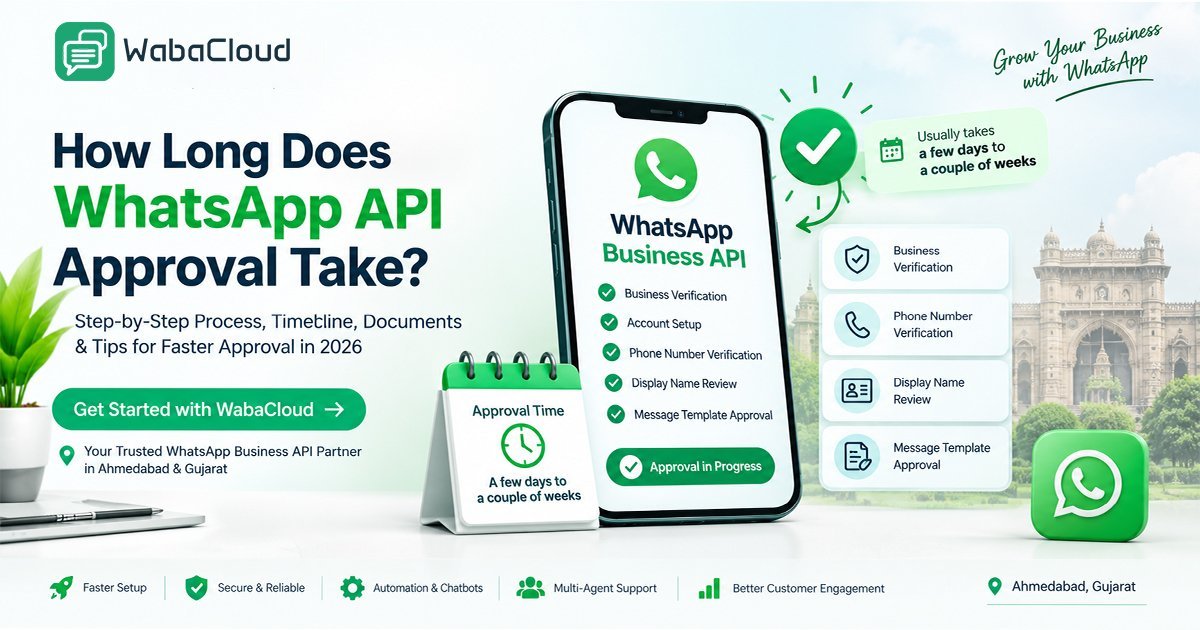
How long does WhatsApp API approval take? This guide explains the expected WhatsApp Business API onboarding timeline, the step-by-step approval process, business verification, phone number requirements, display name review, message template approval, and common causes of delays. It also shares practical tips to prepare your business information and avoid unnecessary issues during setup. Businesses in Ahmedabad and across Gujarat can explore WabaCloud for WhatsApp API onboarding guidance, chatbot automation, team inbox solutions, and scalable customer communication.

Ravirajsinh Jadeja
Editorial Lead
Are you a business owner in Ahmedabad looking to increase
reach and turn WhatsApp into a business communication solution, with added
features like automated notifications and niche customer engagement? But it
remains one question at the end: how long does WhatsApp API approval take?
According to Waba Cloud, Gujarat, WhatsApp Business API
approval will take a few business days to a couple of weeks. It totally depends
on the availability of documentation, including the business contact number,
official documentation, and additional reviews by Meta.
WhatsApp Business API approval process?
It simply helps Ahmedabad business owners to automate
customer communication, manage large-scale conversations, and integrate your
business WhatsApp directly with CRM systems and business tools. Here are the
steps involved:
- Meta
business verification- Meta checks your business verification and
authentication with supporting documentation.
- WhatsApp
business account setup- your WhatsApp business account with Waba
support, India, is created and connected.
- Phone
number verification- the contact number that is specifically used for
your business will be used to verify by Meta and WhatsApp Cloud.
- Display
name review- your business display name needs to be approved before
use.
- Message
template approval- for specific message conversations, there are
certain business-initiated conversations that are required.
WabaCloud Platform SolutionRegister Free APIIntegrate WhatsApp Business API Today
Access verified sending status, high deliverability rates, and full CRM dashboarding integrations.
What factors affect the WhatsApp API time?
- Business
documentation- make sure your business documentation will be perfectly
aligned because even the slightest mistake will eat your time and drain
your effort.
- Business
verification status- it is the second step after your document
verification, which is almost effortless.
- Phone
number readiness- make sure the phone number you are using will match
the requirements the WhatsApp verification needs.
- Display
name compliance- remember your display name is the passport of your
business and the key assurance to set your brand value.
- Additional
review- it is an advance safty net where Meta will double-check your
account that may extend the verification process.
The speed-up trick for the WhatsApp API approval:
According to WhatsApp Business, Ahmedabad, to get approved
easily, you need proper business documentation (well researched) that contains
recent information about your business, a clear display name, and a business
number that meets verification standards. Before starting everything, you must
need to learn the Meta policy to get better clarity while processing.
Integrate WhatsApp Business API Today
Access verified sending status, high deliverability rates, and full CRM dashboarding integrations.
Get started with Waba Cloud:
Are you still looking for connecting to WhatsApp API
approval? Welcome to Waba Cloud Ahmedabad today. We help you set up the
WhatsApp API with the suitable solutions your business requires. Waiting for a
WhatsApp API solution without professional help often pain staking. Here you
can get a prerequisite path specially designed by us to get you WhatsApp
Business API onboarding and explore valuable support for your customers
specifically designed for your business.
Integrate WhatsApp Business API Today
Access verified sending status, high deliverability rates, and full CRM dashboarding integrations.
Frequently Asked Questions
How long does WhatsApp API approval take?
WhatsApp Business Platform onboarding may take a few business days or longer, depending on business verification, phone number setup, display name review, and any additional checks. There is no universal approval timeline for every business.
What documents are required for WhatsApp Business API approval?
Requirements depend on the business and verification process. Businesses may need accurate legal business information, supporting registration documents, contact details, and access to their Meta business account.
Can I get WhatsApp Business API approval on the same day?
Some setup steps may be completed quickly when the required information is ready, but Meta verification and reviews can take additional time. Same-day approval is not guaranteed.
Why is my WhatsApp Business API approval delayed?
Common reasons include inconsistent business information, incomplete documentation, phone number verification issues, display name concerns, or additional reviews by Meta.
5. Is Meta business verification mandatory for WhatsApp API?
Requirements vary according to the onboarding method, account status, and requested capabilities. Business verification can be necessary for certain features or higher messaging limits, but it should not be assumed that every account follows exactly the same process.
Can WabaCloud help with WhatsApp API setup in Ahmedabad?
WabaCloud can help businesses explore WhatsApp Business Platform onboarding, automation, chatbot capabilities, and customer communication solutions. The final approval decision and review timeline remain subject to Meta's requirements and processes.
Does WhatsApp API approval include the Green Tick?
No. WhatsApp Business Platform access and Green Tick or official business account status are separate matters. Approval to use the API does not automatically guarantee a Green Tick.