
WhatsApp Business API requirements
This guide explains the WhatsApp Business API requirements for businesses in India, including Meta Business Portfolio setup, business verification, phone number registration, display name approval, customer opt-in consent, approved message templates, messaging policies, pricing, and messaging limits. It also explores how WhatsApp API automation, AI chatbots, team inboxes, and CRM integrations can improve customer communication. With WabaCloud Ahmedabad, businesses in Gujarat can explore WhatsApp Business Platform solutions to streamline customer support, lead management, and business messaging.

Het Nakrani
Editorial Lead
Are you a Gujarati businessman who has a great setup, loyal
employees, and an out-of-the-box technological advantage, yet client onboarding
remains difficult for you?
Welcome to Wabacloud Gujarat, your trusted WhatsApp Business
API platform. We provide more conversation and less chaos to help you build a
community that understands your business talent according to their needs.
How WhatsApp API Can Help Businesses Scale in 2026
But first, we need to understand: What is the WhatsApp Business API?
Also known as the WhatsApp Cloud API, it helps your business
automate notifications, broadcast campaigns, run chatbots, and support multiple
agents on a single number. You can access all of this through Wabacloud,
Ahmedabad.
Integrate WhatsApp Business API Today
Access verified sending status, high deliverability rates, and full CRM dashboarding integrations.
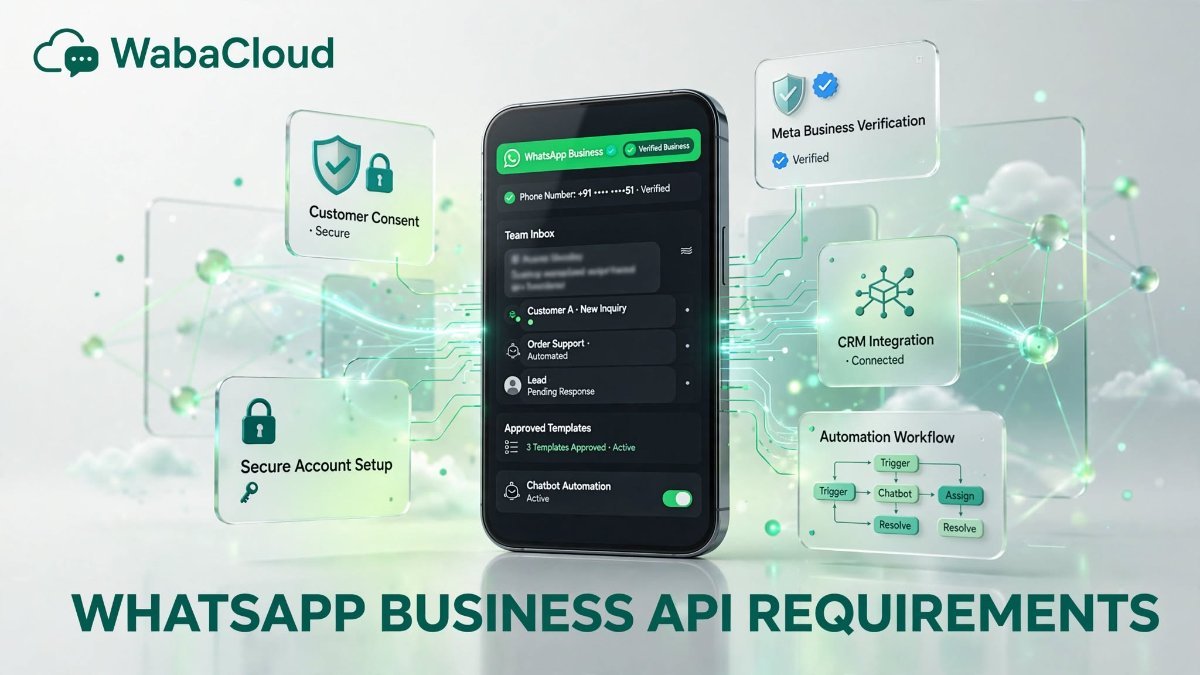
Key Requirements of the WhatsApp Business API
- Meta
Business Access: The basic requirement is a Meta Business Portfolio, which
acts as the parent ingredient for your WhatsApp Business Account, phone
number, and templates.
- Business
Verification: You need to verify your business with Meta before you unlock
your messaging limits. After gaining access, you can get a green tick.
Simultaneously, you need to provide a legal business number with a legal
address, a utility bill, an incorporation certificate, and GST details,
along with an active business website and an official email.
- Verified
and Dedicated Phone Number: According to Wabacloud India, to register your
business number, you must receive an SMS or a voice call OTP verification,
which is different from your regular WhatsApp verification. You can
migrate it using Meta’s coexisting options; landline and toll-free numbers
also work.
- Display
Name Approval: Your display name must follow Meta's naming guidelines. Be
aware that your display name must match your brand. Meta will not accept
generic names or irrelevant brand names that do not match the display
name.
- Official
BSP Partner: In this case, you can fully trust Wabacloud in Ahmedabad. It
is a one-tap solution for API integration, onboarding, webhooks, and
compliance.
- Opt-in
Consent: Consent is mandatory, meaning customers must agree to receive
your messages. You must collect opt-ins through your website, QR codes, or
click-to-WhatsApp ads, and keeping records for better development is
mandatory.
- Approved Message Templates: Per Wabacloud experts' guidelines, to start a conversation outside the 24-hour customer service window, you should use pre-approved templates. These fall under categories like marketing, utility, authentication, and service.
- Policy
Compliance: To grow with the Wabacloud Express solution, you must follow
the WhatsApp Business Messaging Policy and Commerce Policy. Spam and
unauthorised content will result in low quality ratings, restrictions,
limited messaging power, or an account ban.
WabaCloud Platform SolutionRegister Free API
Integrate WhatsApp Business API Today
Access verified sending status, high deliverability rates, and full CRM dashboarding integrations.
Understanding Messaging Limits and Pricing
New accounts will start with limited access to the number of
contacts they can message per day. This volume increases automatically based on
your quality rating. Meta charges per conversation depending on the template
category and the recipient's country, so your template planning must be wise.
Your budgeting will depend on Meta's current rate chart.
Why Choose Us?
The excellent Wabacloud Ahmedabad provides facilities such
as:
- Fast
onboarding with a guided verification feature
- Automation
and no-code chatbot support
- A team
inbox with multi-agent sharing
- Well-analysed
campaign insights
- Green
tick assistance
- Seamless
CRM, Shopify, and API integration
Integrate WhatsApp Business API Today
Access verified sending status, high deliverability rates, and full CRM dashboarding integrations.
Frequently Asked Questions
What are the basic requirements for WhatsApp Business API?
You generally need a Meta Business Portfolio, a WhatsApp Business Account, an eligible phone number, a suitable display name, and compliance with WhatsApp's messaging policies. Additional verification may be required depending on your setup.
Is GST mandatory for WhatsApp Business API in India?
GST is not universally mandatory for every WhatsApp API setup. Requirements depend on the business and Meta's verification process. Keep applicable registration and supporting documents ready.
Can I use my existing WhatsApp Business number?
Possibly. Migration or coexistence options may be available depending on your phone number, provider, and setup. Confirm eligibility before making changes to an active business number.
Is WhatsApp Business API free?
The API and related software may involve costs. Meta messaging charges and provider or platform fees can apply depending on usage and the selected solution.
Do I need business verification to use WhatsApp Business API?
Verification requirements depend on the setup and the features or messaging limits you need. Completing verification does not automatically guarantee a green tick.
Can WhatsApp Business API support AI chatbots?
Yes. When integrated with suitable chatbot or AI software, it can help automate FAQs, qualify leads, route conversations, and support customer service workflows. Businesses must still follow WhatsApp's policies and provide appropriate escalation options.